
Free Project Management Software
The ClickUp Learn Hub is maintained by ClickUp. Some tools reviewed may compete with ClickUp products. We strive for accuracy and fairness in all evaluations. Our methodology and scoring criteria are disclosed on each page.
This list covers the best free project management software, evaluated by what the free tier actually includes rather than what it promises during a trial. Every tool here offers a permanent free plan (unless noted otherwise) and was assessed on real team workflows, not marketing claims. For the complete ranked list across all pricing tiers, see our Best Project Management Software roundup.
“Free” means different things to different vendors. Some offer genuinely usable free plans with no time limit or credit card. Others cap users so aggressively that the free tier is a demo, not a product. A few offer trials disguised as free plans. We flag which is which for every tool on this list.
We evaluated each free tier across six criteria: user limits (how many people can use it before you hit a paywall), core PM features available at no cost (task management, views, dependencies, time tracking), storage and project limits, integration availability on the free plan, whether the free plan is genuinely permanent or functions as a trial, and the specific moment you will be forced to upgrade. Ratings reflect the free tier only, not the paid product. A tool with excellent paid features but a restrictive free plan scores lower than a tool with fewer paid features but a generous free tier.
Full PM Platforms
ClickUp
Free forever (unlimited users), paid plans from $7/user/month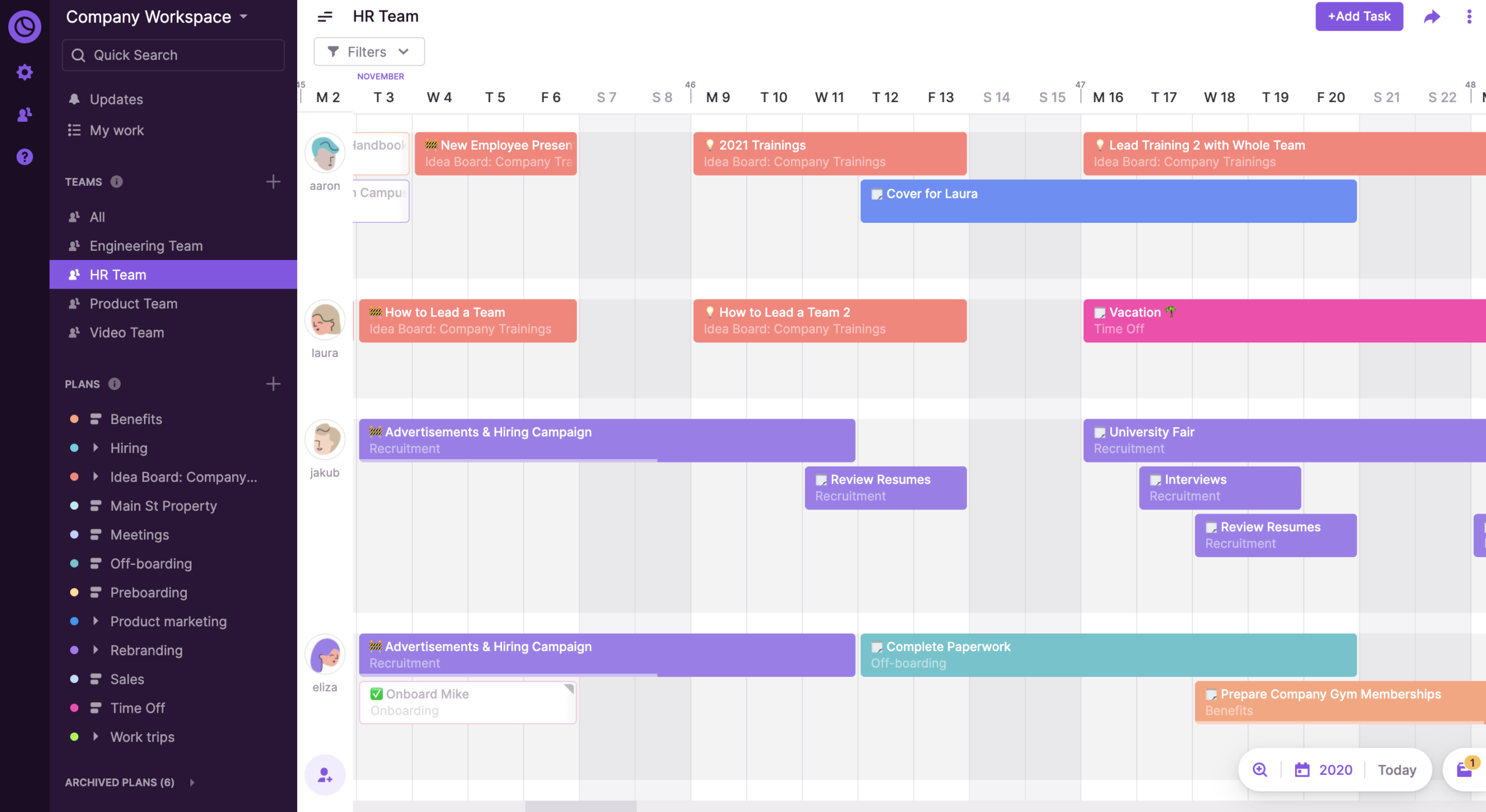
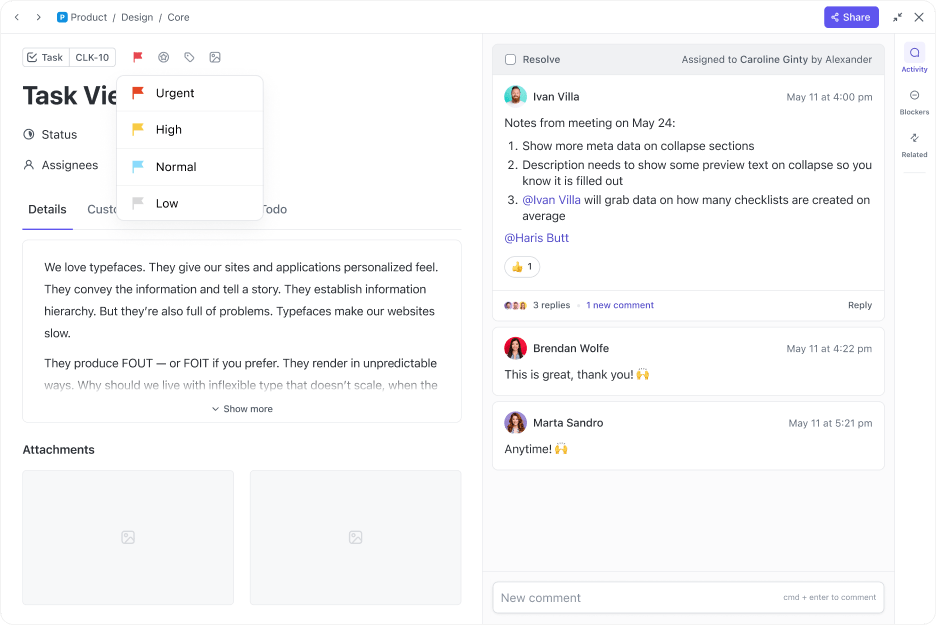
ClickUp’s free plan is the most generous in the category for teams that need more than basic task tracking.
Unlimited users and unlimited tasks at no cost is a differentiator no other major competitor matches. You also get native native time tracking, collaborative Docs, Whiteboards, and Sprint features without paying.
The free tier has real caps that surface during active use. You get 60 uses of Custom Fields and 60 uses of Gantt Charts (lifetime, not monthly), 5 Spaces, one Dashboard, and 60MB of storage.
Once you burn through Custom Field or Gantt uses, those features lock until you upgrade. For teams that rely heavily on custom workflows, the 60 use cap will force an upgrade within weeks.
For teams running simpler list and board workflows with time tracking, the free plan is a genuine working product.
- Unlimited users and unlimited tasks on free plan, no seat cap at any team size
- Native time tracking included free, a feature most competitors lock behind paid tiers
- Docs, Whiteboards, and Sprint features available at no cost
- 60 lifetime uses of Custom Fields and Gantt Charts; once exhausted, features lock until you upgrade
- 60MB storage, 5 Spaces, and 100 automations per month create real ceilings for active teams
Trello
Free (10 boards, 10 members), paid from $5/user/monthTrello’s free plan is the fastest way to start managing projects with zero learning curve. Drag cards across columns, add due dates, assign members, and you are productive in minutes. The free tier now includes unlimited Power Ups per board (previously limited to one), which significantly expanded what you can do without paying.
The 10 board and 10 workspace member caps are the real constraints. Once your team exceeds 10 people or needs more than 10 project boards, you must upgrade to Standard at $5/user/month.
The free tier has no Gantt view, no timeline, no dependencies, no time tracking (without a Power Up), and no reporting. For teams whose work genuinely fits a simple Kanban flow, Trello’s free plan covers the core loop. For anything requiring structure beyond columns, you will outgrow it.
- Zero learning curve with instant Kanban setup; unlimited cards and lists
- Unlimited Power Ups per board on free plan (calendar, custom fields, integrations)
- 250 Butler automation runs per month included free
- 10 board and 10 workspace member caps; exceeding either forces an upgrade
- No native Gantt, timeline, dependencies, or reporting on free plan
Asana
Free (2 users; legacy accounts may have 10), paid from $10.99/user/monthAsana’s free Personal plan now supports only 2 users, down from the previous 10 user limit that existed before November 2025. Legacy accounts created before that date may still have 10 seats. For new signups, the 2 user cap makes Asana’s free plan viable only for solo users or pairs.
Within those constraints, the free tier is polished. You get unlimited tasks, unlimited projects, list view, board view, and calendar view. The interface is clean enough that nontechnical users can start within an hour.
But you lose timeline (Gantt) views, custom fields, forms, workflow automations, and dashboards. Those features require the $10.99/user/month Starter plan. If you are a solo user who values UI quality over feature depth, Asana’s free plan works well. For any team beyond two people, it is no longer a free option.
- Cleanest interface of any free PM tool with three views (list, board, calendar)
- Unlimited tasks and projects with no storage or project caps
- Strong mobile app and fast onboarding for nontechnical users
- 2 user cap on new accounts (reduced from 10 in November 2025); adding a third person requires $10.99/user/month
- No timeline/Gantt, custom fields, automations, or dashboards on free plan
Jira
Free (up to 10 users), paid from $7.91/user/monthJira’s free plan is the most complete Agile toolkit available at no cost. You get Scrum boards, Kanban boards, backlog management, sprint planning, basic roadmaps, and 2GB of storage for up to 10 users. No other free PM tool matches this depth for software development workflows.
The 10 user cap is the hard limit. Once your engineering team hits 11 people, you upgrade to $7.91/user/month. The free tier also excludes advanced roadmaps, project archiving, and audit logs.
The interface assumes familiarity with Agile terminology (epics, stories, sprints, velocity), so nontechnical teams will struggle. Jira’s free plan also integrates with Confluence (also free for 10 users), giving small dev teams a documentation layer at no additional cost.
- Deepest Agile workflow on any free plan: sprint planning, backlog, velocity tracking, and roadmaps
- 2GB storage and free Confluence integration for documentation
- Scrum and Kanban boards with proper sprint ceremonies support
- 10 user cap with no flexibility; 11th team member forces a paid upgrade
- Complex UI assumes Agile fluency; nontechnical teams face a steep learning curve
Lightweight and Specialized
Notion
Free (1 user unlimited, teams capped at 1,000 blocks), paid from $10/member/monthNotion’s free plan gives a single user unlimited pages and blocks with no time limit. For personal project management, note taking, and documentation, it is genuinely unlimited. Teams get a 1,000 block limit on the free plan, which runs out quickly once multiple people start adding content to shared workspaces.
Notion is not a dedicated PM tool. You build your own project management system from databases, views, and templates. This means maximum flexibility but significant setup time. There are no native Gantt charts, no built in time tracking, no sprint management, and no resource allocation.
One important caveat: the 1,000 block limit is cumulative. Deleting blocks does not reduce your count or free up space. Most teams of 3 or more will hit the limit within a few weeks of active use, at which point you must upgrade to the Plus plan at $10/member/month.
- Unlimited pages and blocks for individual use with no time limit
- Unmatched flexibility: build any workflow from databases, views, and templates
- Strong template gallery accelerates setup for common PM patterns
- 1,000 block team limit exhausts quickly; deleting blocks does not reset the count
- No native Gantt, time tracking, or sprint features; you must build everything yourself
Teamwork
Free (5 users, 2 projects), paid from $10.99/user/monthTeamwork’s free plan is the only option on this list that includes native time tracking at no cost (alongside ClickUp). For freelancers and small agencies managing client work, time logging against projects without a third party integration is a genuine differentiator. You also get task management, milestones, and basic file storage.
The 2 project limit is the real constraint. Once you need a third active project, you must upgrade to $10.99/user/month. The 5 user cap adds a second ceiling.
But for freelancers or very small agencies managing one or two client engagements, the free plan covers task assignment, time tracking, and basic project milestones at zero cost.
- Free native time tracking, a feature most competitors lock behind paid plans
- Built for client services workflows with milestones and task assignment
- Only 2 active projects on free plan; a third project forces an immediate upgrade
- 5 user cap and limited reporting restrict team scalability
Wrike
Free (unlimited users, limited features), paid from $9.80/user/monthWrike’s free plan supports unlimited users but strips out nearly every feature that makes Wrike competitive. You get basic task management with list and board views, shared dashboards, real time activity streams, and cloud storage integrations (Google Drive, Dropbox, OneDrive) at no cost.
The unlimited user count sounds generous on paper, but without Gantt charts, custom workflows, time tracking, request forms, or analytics, the free plan functions more as an evaluation environment than a working PM system.
Teams that need Wrike’s depth will upgrade quickly. The free tier is best understood as a way to test whether Wrike’s structure fits your workflow before committing to $9.80/user/month.
- Unlimited users on free plan with no seat cap
- Cloud storage integrations (Google Drive, Dropbox, OneDrive) included at no cost
- No Gantt charts, custom workflows, time tracking, or analytics on free plan; feels like a demo
- Limited value as a standalone free PM tool; designed to funnel toward paid plans
Monday.com
Free (2 seats, 3 boards, 200 items), paid from $9/seat/month (3 seat minimum)Monday.com’s free plan is the most restrictive on this list: 2 seats, 3 boards, and 200 items. The visual interface is polished and onboarding is smooth, but the constraints mean this is essentially a solo user or pair tool at the free tier.
Adding a third team member requires upgrading to the $9/seat/month Basic plan, which has a 3 seat minimum ($27/month). The 3 board and 200 item limits add further ceilings. No automations, no integrations, and no timeline views on free.
Monday.com’s free plan is functional for personal task tracking or a two person side project, but it is not a viable free PM solution for any team beyond two people.
- Most visually polished free interface with smooth onboarding
- Good template library for quick project setup
- Only 2 seats on free plan; upgrading requires 3 seat minimum at $27/month
- 3 board and 200 item limits; no automations or integrations on free tier
Freedcamp
Free (unlimited users, projects, storage), paid add ons from $1.49/user/monthFreedcamp offers the most generous free plan by raw capacity: unlimited users, unlimited projects, and unlimited storage at zero cost. Core features include task management, milestones, discussions, a shared calendar, and file sharing. There are no artificial caps on any dimension.
The tradeoff is polish and depth. Freedcamp’s interface looks dated compared to ClickUp, Asana, or Monday.com. The mobile app is functional but limited.
Advanced features like Gantt charts, CRM, and invoicing are paid add ons ($1.49 to $7.49 per user per month each). If your primary need is basic task management for a team of any size at zero cost, and you can accept a less polished experience, Freedcamp delivers more raw capacity than any other tool on this list.
- Truly unlimited: users, projects, and storage at $0 with no time limit
- Discussions and shared calendar included free; no trial period or credit card required
- Dated interface and limited mobile app compared to major competitors
- Gantt charts, CRM, and invoicing are paid add ons; smaller integration ecosystem
Todoist
Free (5 projects, 5 collaborators per project), paid from $4/user/monthTodoist’s free plan is one of the most polished personal task management experiences available. Core features include task management, subtasks, priority levels, due dates, natural language input (“Submit report every Friday at 3pm”), and a clean experience across web, desktop, iOS, and Android.
Todoist is not a project management platform. There are no Gantt charts, no time tracking, no resource allocation, and no portfolio views. The free tier limits you to 5 active projects with 5 collaborators per project.
For individual productivity and lightweight team coordination, it excels. For anything requiring multi project visibility, dependencies, or reporting, you will need a different tool entirely.
- Best natural language task input of any PM tool; polished cross platform experience
- Fast, lightweight, and excellent for personal productivity workflows
- 5 project and 5 collaborator limits constrain team use significantly
- Not a full PM tool: no Gantt, time tracking, dependencies, or reporting
Common Questions About Free Project Management Software
Is free project management software really free?
Some tools offer genuinely free plans with no time limit or credit card required. ClickUp, Trello, Jira, and Freedcamp all provide permanent free tiers. Asana’s free plan now supports only 2 users (down from 10 as of November 2025). The key differences are user limits, feature restrictions, and storage caps. Always check whether “free” means a permanent plan or a trial that expires after 14 to 30 days.
What is the best free project management tool for a team of 10?
ClickUp is the strongest option for a team of 10 because it has no user cap on the free plan. Jira also supports exactly 10 users on its free tier with full Agile workflow support. Trello allows up to 10 workspace members with unlimited Power Ups. Asana’s free plan now supports only 2 users for new accounts, making it no longer viable for teams of 10 without paying.
Can free PM tools handle Agile workflows?
Jira’s free plan offers the most complete Agile experience: Scrum boards, Kanban boards, sprint planning, backlogs, and velocity tracking for up to 10 users. ClickUp’s free tier includes Sprint features and Board views, though Gantt Charts are capped at 60 uses. Trello supports basic Kanban at no cost with unlimited Power Ups. Monday.com and Asana do not include meaningful Agile features on their free plans.
What features are typically locked behind paid plans?
The most commonly restricted features on free PM plans are Gantt chart dependencies, workflow automations, custom fields, advanced reporting, portfolio views, guest access controls, and audit logs. Time tracking is locked on most free plans except ClickUp and Teamwork. Storage limits also tighten significantly on free tiers, ranging from 10MB per file (Trello) to 60MB total (ClickUp).
When should I upgrade from a free PM tool to a paid plan?
Three signals indicate it is time to upgrade: your team exceeds the user cap (2 on Asana, 10 on Jira, 2 on Monday.com), you exhaust feature usage limits (60 Custom Fields on ClickUp, 250 automations on Trello), or you need reporting and dashboards for stakeholder visibility. If you spend more time working around free tier limits than doing actual project work, the upgrade pays for itself.